
Separate signal learning, receiver enrollment and range problems before choosing a copy remote, a dedicated replacement or an assessed receiver upgrade.
Reading mapArticle sections9 sections
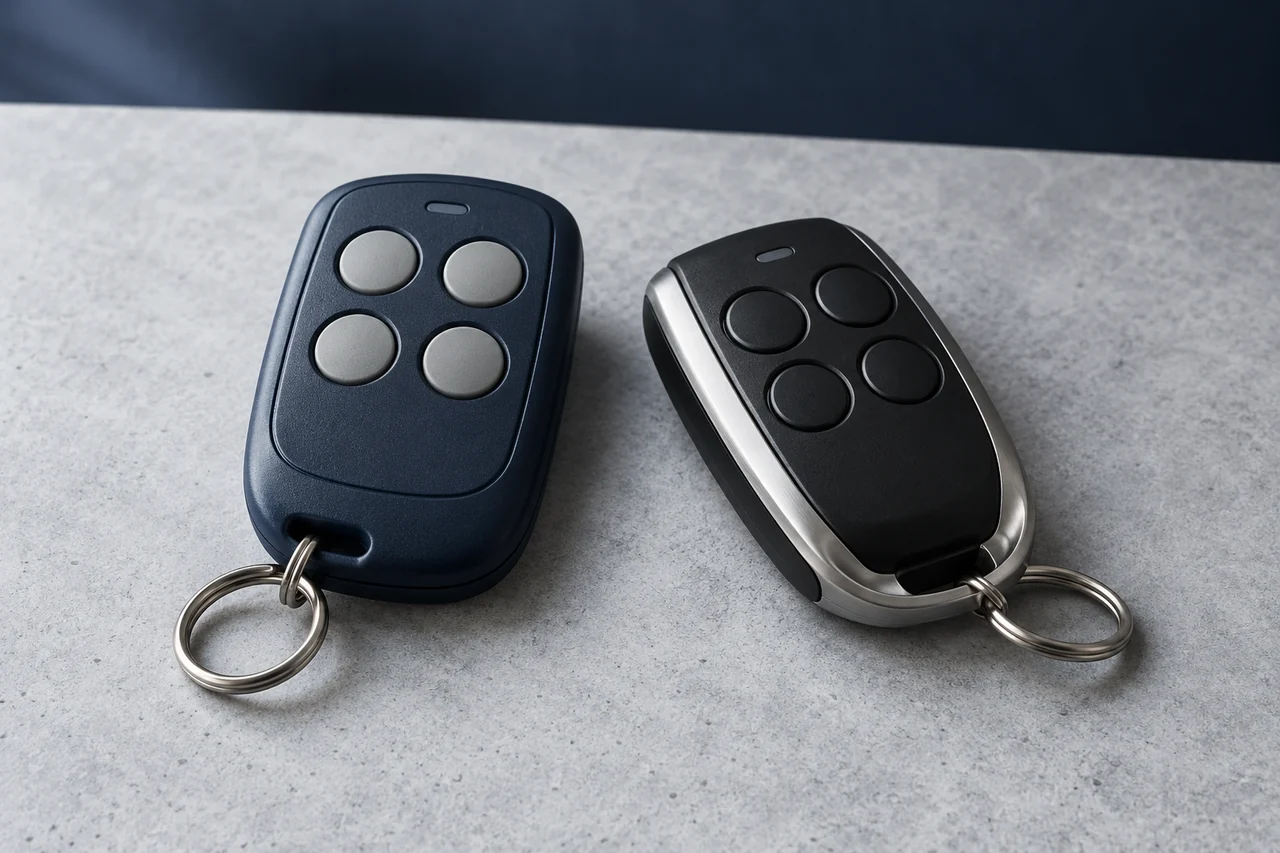
A copy remote can report learning success while the receiver ignores it. The indicator confirms a step inside the copy remote; it does not confirm that the receiver has accepted a usable credential.
A universal remote supports a documented set of systems. Identify that set before treating its learning indicator as a compatibility result.
For a replacement to work, its radio signal, message format and enrollment behavior must fit the installed receiver. Price and button count do not establish those properties.
Begin with the original transmitter and receiver models. The next useful check depends on whether the failure is learning, receiver enrollment or reliable operation after enrollment.
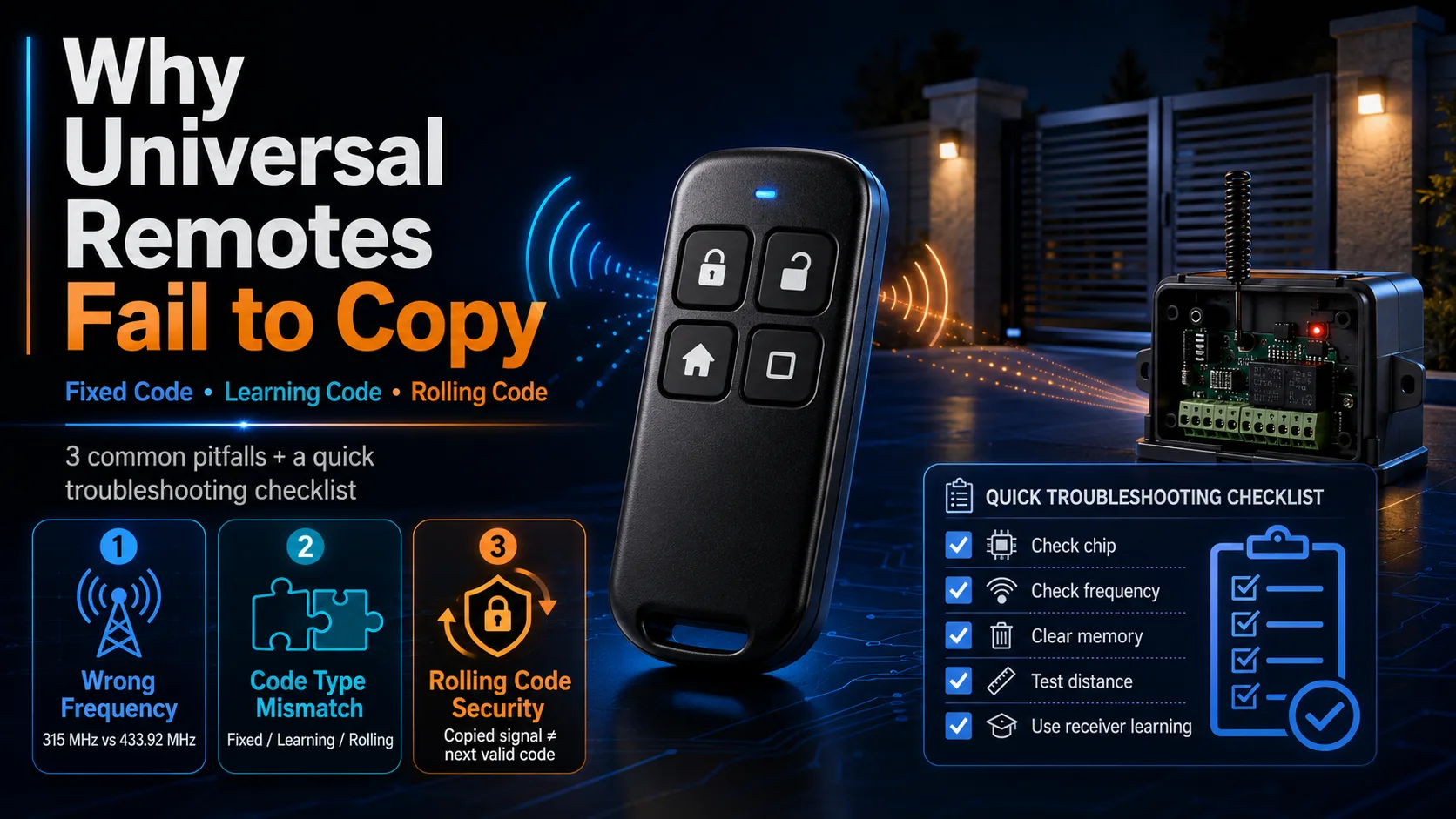
Separate the Three Stages
The original signal may be unreadable to the copy remote, readable but unsupported, or reproduced in a way the receiver does not accept. These are different failures.
- Signal learning: does the device support the original frequency, modulation and format?
- Receiver enrollment: does the receiver support the new transmitter and its required registration method?
- Operation: after acceptance, do the assigned buttons work repeatedly at the required locations?
Check the Radio Variant
Universal does not mean every frequency. Look for the replacement's supported bands and the original receiver's exact radio variant in their documentation.
A unit limited to 433.92 MHz cannot operate a receiver limited to 315 MHz. A replacement that covers both bands still needs the correct modulation and message format.
Do not assume every metal timing part is a SAW filter or that its marked frequency is the radio carrier. Microchip's MICRF112 uses a lower-frequency crystal reference and a PLL to generate its RF output. Check the circuit or model documentation before interpreting a component marking.
- Record the full receiver and transmitter model, including suffixes.
- Use manufacturer labels or documentation to identify the operating frequency.
- Treat PCB markings as clues that need a matching part datasheet.
- If the frequency remains uncertain, have it measured rather than ordering by appearance.
Separate Signal Learning from Receiver Enrollment
Fixed code and learning code are not necessarily separate code families. A receiver can learn the ID of a transmitter whose identifier stays the same. It can also enroll a rolling-code transmitter.
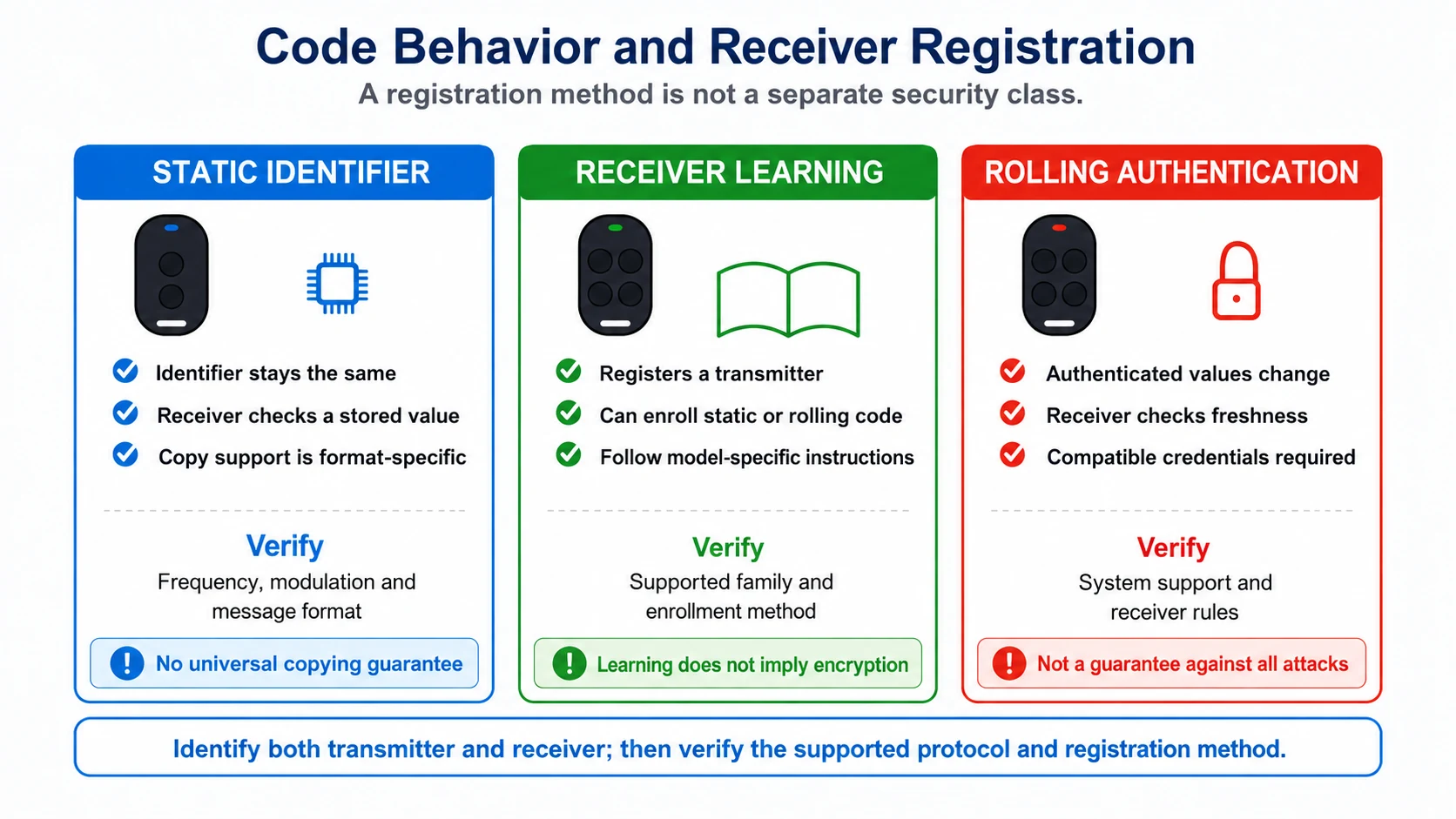
- A static identifier does not advance between uses, regardless of how the receiver stores it.
- A rolling-code system validates changing authentication state as defined by its protocol.
- Learning describes an enrollment or signal-capture process; ask which meaning the supplier uses.
- Require support for the actual receiver model instead of accepting a generic chip list.
Use the replacement's own instructions to select a learning mode or prepare memory. Do not erase a working receiver or a multi-button remote as a generic troubleshooting step.
Follow the specified placement and timing for that model. There is no universal head-to-head orientation or 3–5 cm separation that establishes compatibility.
Test in a stable environment with known-good batteries. If learning still fails, check supported models and the selected mode before repeating resets.
Rolling Code Needs Compatible Credentials
A copy device can store a radio message without possessing the credentials needed to create future messages that the receiver accepts.
The HCS301 datasheet describes keys, serial number and configuration programmed into an encoder. Its marking identifies a device type, not the programmed system. Another HCS301-based remote may therefore be incompatible with the receiver.
Rolling-code receivers check authenticated state and freshness. They can allow forward synchronization windows and model-specific resynchronization; they are not necessarily waiting for exactly one next code.
An already accepted message should not serve as a reusable access credential in a correctly implemented rolling-code system. This is a replay-protection objective, not a claim that every rolling-code product is immune to cloning or other attacks.
If the product's credentials or enrollment method are undocumented, ask the supplier for evidence before buying a batch. A blinking learning light is not that evidence.
The Receiver Family Matters
Two remotes can share a frequency and resemble one another while belonging to different supported families. That mismatch needs model identification, not a conclusion drawn from one failed copy.
Nice's OX2 FAQ provides a concrete example: the hardware supports several encoding families, but transmitters stored in a receiver must belong to the same family. A general supported-protocol list does not describe every already-programmed installation.
- Ask whether the supplier validated the exact receiver and transmitter models.
- Confirm the receiver's currently selected encoding family where the manual requires it.
- Check the required button mapping, registration method and memory limits.
- Record product revisions and limitations with the sample result.
Where replacements are unavailable, an installer can assess an external receiver. Suitability depends on the operator's power, command interface and safety functions; it is not a universal direct-wiring remedy.
Works Nearby but Not at the Required Distance?
Once the receiver accepts the replacement, test it beside the original at the same locations and orientations. Repeat the checks with known-good batteries and record responses.
Short or intermittent range can come from the transmitter, receiver installation, battery contacts, interference or timing behavior. The symptom alone does not identify poor hardware.
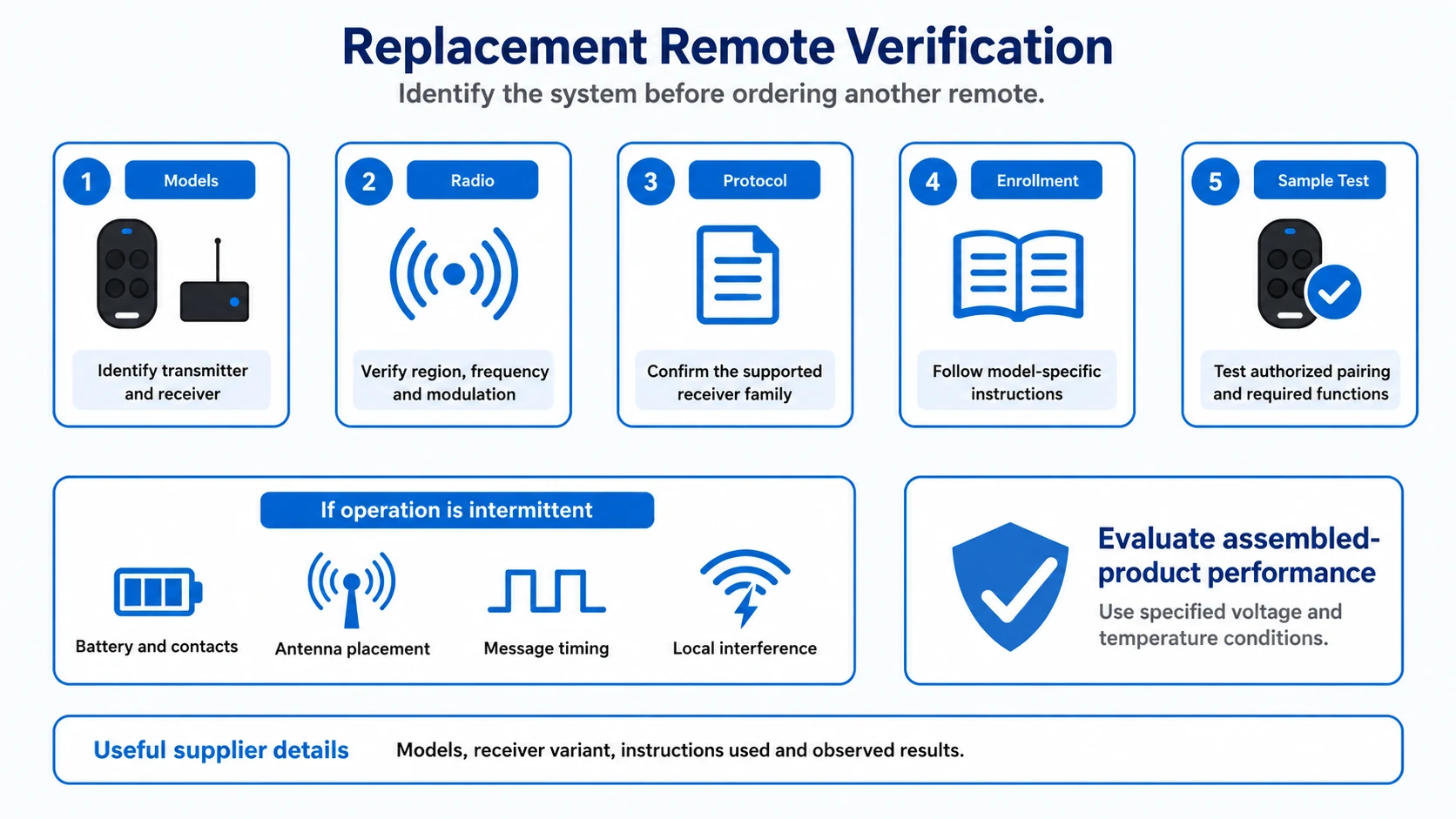
- Check battery condition and contacts.
- Keep the receiver antenna and surroundings unchanged while comparing remotes.
- Compare normal grip and orientation at the required locations.
- Have frequency, output and message timing measured if the comparison remains inconclusive.
Specify performance over the required voltage and temperature range. Crystal, SAW and LC name implementation choices; FST is not a general engineering quality standard. Accept measured results for the complete remote rather than an oscillator label.
Verify the Offered Market Variant
For resale, compatibility and market requirements both need evidence. Identify the destination and the exact configuration before assuming a product can be supplied there.
- Check that the documented model and frequency match the unit being offered.
- Have the applicable transmission and emissions requirements identified for that product and market.
- Request the required declarations, approval records or technical documentation, as applicable.
- Review whether selectable frequencies or later hardware changes remain within the documented scope.
For EU sales, Your Europe describes the responsibilities of manufacturers and importers, including conformity assessment and documentation. A generic compliance logo on a listing does not identify which model or configuration the evidence covers.
Before Ordering Another Sample
- Identify the original transmitter and installed receiver by full model.
- Verify the supported frequency, modulation and receiver family.
- Select the enrollment method from the correct instructions.
- Preserve existing credentials unless a documented reset is needed and authorized.
- Test every required button and repeated operation at the intended locations.
Send the Supplier These Details
A useful support request identifies the installation and what stage failed. It gives the supplier something specific to check instead of another universal compatibility question.
- Original transmitter and receiver model numbers, with clear label photographs.
- Destination region and documented frequency, if known.
- Application and required button functions.
- Authorized receiver access and the programming method already tried.
- What happened: learning indication, receiver response, and operation at tested distances.
Those details help distinguish an unsupported copy format from a required dedicated replacement or a receiver upgrade. Confirm the selected option on an authorized sample installation before placing a wholesale order.

About the Author
Eric Huang
RF Remote Controls & Controllers Specialist
I work with trade buyers on custom RF remote and controller projects, automotive remote requests and aftermarket gate and garage remote sourcing. These guides help you define product requirements and plan sample checks before ordering.
Share your application or original system, target market and question to discuss the next steps.
Keep reading
Related articles
RF Remote Collisions: Check the Hardware and Protocol
Separate one-way repetition from receive-capable channel sensing and two-way acknowledgments, then test command overlap and duplicate handling.
Read next RF EngineeringRF Transmitter Modules: Check Output and Repeatability
Compare carrier accuracy, matching, unwanted emissions and sample variation under the conditions the finished remote must meet.
Read next TroubleshootingRF Remote Won’t Pair? A Field Troubleshooting Checklist
Check battery condition, radio compatibility, enrollment steps and receiver behavior before replacing a remote or clearing its memory.
Read nextDiscuss Your Project or Replacement
Share your application or original system and your question to discuss the next step.
RF questions by email
Ask Eric About Your Remote or Receiver
Describe your remote or receiver, the issue and what you have already tried. Add model details and your country if available.
Opens a draft in your email app. Review it, attach any photos and send your message.