
Match an RF command path to gates, lighting, motors, pumps and existing equipment while retaining the required interlocks, limits and equipment controls.
Reading mapArticle sections12 sections
An RF receiver can carry a command across a room or yard, but the equipment downstream determines what that command should do. A relay board that switches a lamp is not automatically suitable for a shutter, pump or lifting mechanism.
RF control usually does not need a direct optical line of sight. Range still depends on the radio link, antenna placement, building materials and interference. Infrared can also work through reflected paths, so the distinction is not simply that any obstruction stops one technology.
The ten applications below share a transmitter-to-controller path. Their output interfaces, load ratings, feedback and stopping requirements differ.
Before selecting a receiver, define the requested action and the controller that will execute it. This avoids buying a long-range radio with the wrong electrical output or an unsuitable control mode.
Map the System Link First
Treat the radio as one part of the system: transmitter, receiver, equipment controller and load. Several functions may share a board, but their requirements remain separate.
- Transmitter: the handset or wireless wall control, with a defined command set and enrollment method.
- Receiver: the matching frequency, modulation and protocol, with defined behavior for missing or repeated packets.
- Equipment controller: the switch, motor drive, access controller or other unit that accepts the request and applies its limits.
- Load: the actual light, motor, valve or equipment, including its supply, startup behavior and operating duty.
Clarify these questions with the equipment documentation in hand. A channel count and a current printed on a relay are not enough.
- Which controller input is available: dry contact, voltage input, bus command or a supported accessory interface?
- What do press, hold, release, repeat, stop and power restoration mean for this equipment?
- Which load-specific switching ratings and protection are required?
- How are remotes enrolled, individually revoked and prevented from controlling the wrong receiver?
- What happens after packet loss, a receiver reset or loss of the equipment's supply?
Garage Doors and Courtyard Gates
A retrofit receiver should send a compatible request to the door or gate operator's designated input. The operator retains responsibility for travel, limits, obstruction detection and other installed protective functions.
Access security and movement protection are separate concerns. CPSC's garage-door and gate-operator material addresses entrapment protection; a rolling-code radio does not provide that protection.
- Confirm the operator model and whether its input expects a momentary contact, a maintained contact or a specific accessory protocol.
- Keep the operator's limit and obstruction devices active; do not wire around them to obtain a remote opening function.
- Check credential management, enrollment and lost-remote deletion, as well as replay resistance.
- Verify antenna routing and approach-direction range with the receiver installed in its final enclosure.
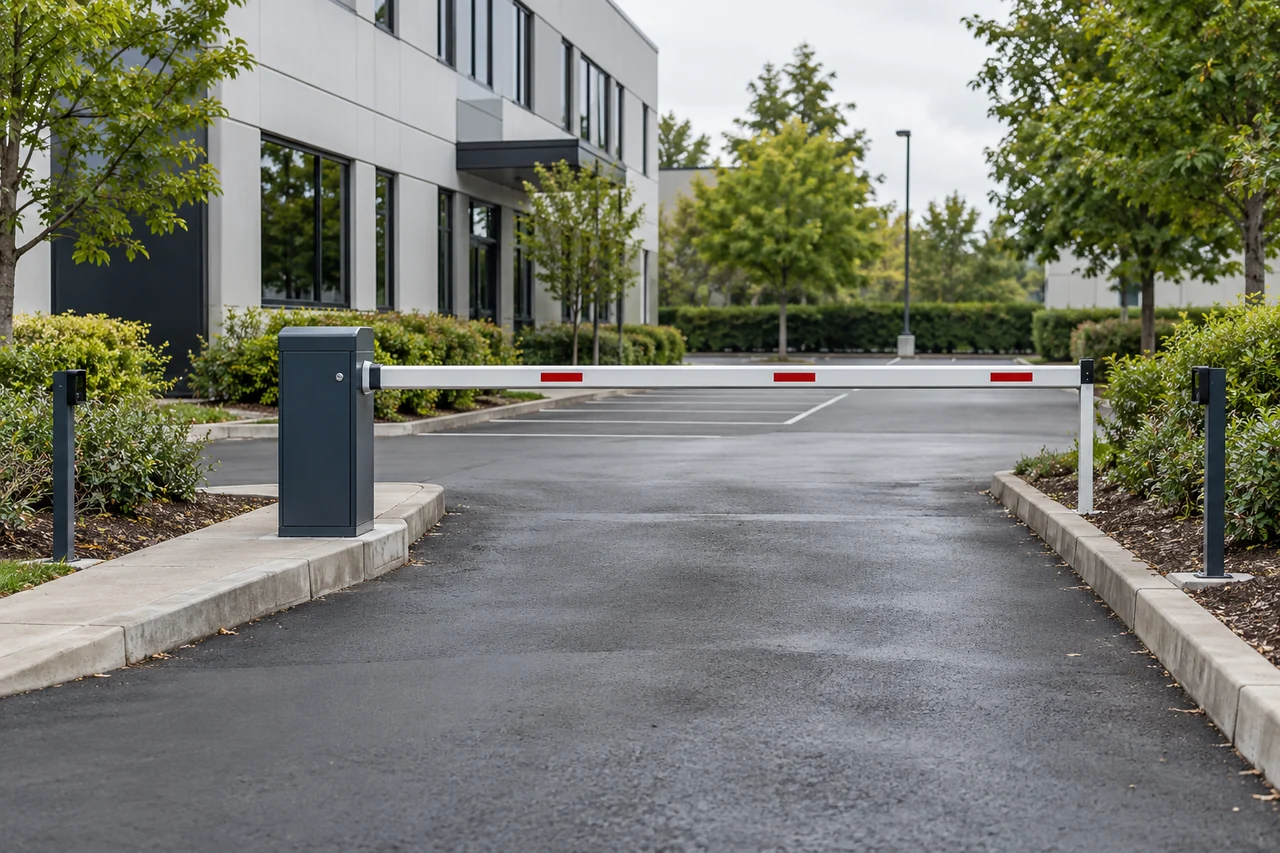
Access Control, Electric Locks, and Barriers
For an access installation, decide where permissions are checked. An anonymous relay pulse wired directly to a lock can bypass the identity and logging functions of the existing access controller.
- Use a supported request or credential interface and confirm which events the access controller can identify and log.
- Check whether individual remotes can be deleted; a general receiver may only support deleting its whole memory.
- Define release duration, power-failure behavior and any required interaction with fire or exit controls.
- Keep an enrollment and revocation record that the property manager can maintain after installation.
Roller Shutters, Motorized Curtains, and Awnings
Identify the motor interface first. Some motors take separate direction supplies; others require a proprietary bus or integrated radio. Two independent relay channels are not a universal motor controller.
- Use a controller intended for that motor and its up, stop and down commands.
- Prevent simultaneous direction outputs and provide the motor's required reversal delay.
- Retain travel limits and any required obstacle, wind or other protection for the application.
- Confirm motor-load ratings, stopping priority and behavior after power restoration.
Indoor and Outdoor Lighting Control
A wireless handset can add a control point without a new wall-button cable. The receiver still needs a suitable power connection, enclosure and switching device. OMRON distinguishes resistive, inductive, lamp and capacitive load behavior in relay selection.
- Identify on/off or dimming operation; a relay provides switching, not general dimming.
- Use the rating for the actual lighting load, including driver inrush and the number of drivers connected.
- Check neutral requirements, wiring access, box space and any interaction with existing switches.
- For outdoor use, specify the complete installed enclosure and cable-entry protection, not only a receiver advertised as outdoor.
Fans, Exhaust, and Fresh Air Systems
Fan-speed control may use motor taps, a dedicated electronic drive or a low-voltage control input. A generic dimmer or several RF relays can be unsuitable even when simple on/off switching works.
- Use the fan manufacturer's supported control interface and load ratings.
- Interlock speed outputs where the motor requires it; never assume multiple taps can be energized together.
- Define whether an overrun timer resides in the receiver or the ventilation controller.
- Keep antenna and control wiring clear of motor and drive wiring according to the installation instructions.
Water Pumps, Irrigation, and Pond Circulation
An RF command can request pump or irrigation operation through a suitable controller. Hunter's pump-start guidance illustrates the interface boundary: its irrigation controller operates a pump-start relay rather than connecting directly to the pump.
- Match the command to the existing pump or irrigation controller and the intended start/stop sequence.
- Use the required pump-start relay, contactor or drive with ratings appropriate to the actual motor.
- Retain overload, dry-run, level or pressure protection where the system requires them; a radio receiver does not supply these functions automatically.
- Assess moisture, cable entries, surge protection and antenna placement in the installed system.
Electric Lifts and Linear Actuators
For lifting or other hazardous movement, select an assessed control system for the mechanism. A receiver's momentary relay mode does not by itself establish hold-to-run behavior or a safe stop when a release packet is lost.
- Define movement, travel limits, guarding, load holding and the required stop behavior through the equipment's risk assessment.
- Use hold-to-run control where required, with verified behavior on lost communication, depleted handset power and receiver failure.
- Retain required limits, interlocks and emergency-stop functions through the appropriate equipment control system.
- Do not retrofit a general lighting relay onto a personnel lift or other lifting system based only on contact capacity.
Industrial Start and Stop Control
A radio can provide a normal command input to an industrial controller. Safety functions need the appropriate assessed control architecture, which may include safety-rated devices. The EU Machinery Directive explicitly addresses loss of communication in cable-less control.
- Confirm the machine's supported remote-control interface and which local controls have priority.
- Define authorization, mode selection, restart prevention and safe behavior on communication loss.
- Keep required safety functions in the assessed system; an ordinary PLC or dual confirmation alone does not establish functional safety.
- Validate the installed link with relevant drives and motors operating, and record the equipment's response to missed commands.
Events, Stages, and Exhibition Setups
For temporary lighting or display control, map every button to an output before rehearsal. Shared venues can introduce other radio traffic, changed antenna positions and accidental presses.
- Use compatible outputs for the intended lights or display equipment, with clear channel labels.
- Rehearse at the installed locations and with other venue equipment operating.
- Control access to pairing and avoid carrying a handset with exposed active buttons in a pocket.
- For stage machinery or hazardous effects, use the required dedicated control system rather than general-purpose RF relays.
Upgrading Existing Equipment
A retrofit works best when the equipment exposes a documented remote input. For a camera, that might be a digital alarm input with specified voltage limits and event configuration; a relay cannot transmit video or provide generic pan-tilt control. AXIS documentation provides an example of a model-specific input interface.
- Obtain the equipment's model, wiring diagram and supported command interface.
- Check whether a dry contact, powered input or protocol adapter is required; do not apply an assumed voltage.
- Keep existing local operation and protective functions available after the retrofit.
- Add scheduling or network access only through a compatible controller or gateway that actually supports those functions.
Define the Acceptance Test with the Application
For each installation, state the expected action, the controller interface and the failure behavior. Then test those requirements with the actual equipment and receiver configuration.
Include normal operation, conflicting commands, lost communication and power restoration where relevant. Record output behavior rather than relying on a transmitter LED as confirmation.
A usable sourcing brief contains the equipment model, interface, load type, installation conditions and required controls. That gives a supplier enough information to assess fit without promising that one receiver suits all ten applications.

About the Author
Eric Huang
RF Remote Controls & Controllers Specialist
I work with trade buyers on custom RF remote and controller projects, automotive remote requests and aftermarket gate and garage remote sourcing. These guides help you define product requirements and plan sample checks before ordering.
Share your application or original system, target market and question to discuss the next steps.
Keep reading
Related articles
RF Remote Collisions: Check the Hardware and Protocol
Separate one-way repetition from receive-capable channel sensing and two-way acknowledgments, then test command overlap and duplicate handling.
Read next TroubleshootingWhy a Copy Remote Reports Success but Does Not Work
Separate signal learning, receiver enrollment and range problems before choosing a copy remote, a dedicated replacement or an assessed receiver upgrade.
Read next RF EngineeringHow Can One CR2032 Keep an RF Remote Working for Years?
Follow the microamp budget, the transmit pulse and the small design details that determine whether a coin-cell remote still responds years later.
Read nextDiscuss Your Project or Replacement
Share your application or original system and your question to discuss the next step.
RF questions by email
Ask Eric About Your Remote or Receiver
Describe your remote or receiver, the issue and what you have already tried. Add model details and your country if available.
Opens a draft in your email app. Review it, attach any photos and send your message.